The Market Sentiment application is designed to collect articles on financial markets published by various online media outlets and analyze them. The aim is to facilitate the work of financial analysts who have to process large amounts of information on a daily basis, use it to form an opinion on the state of financial markets and individual securities, and then issue recommendations to customers on trading strategies.
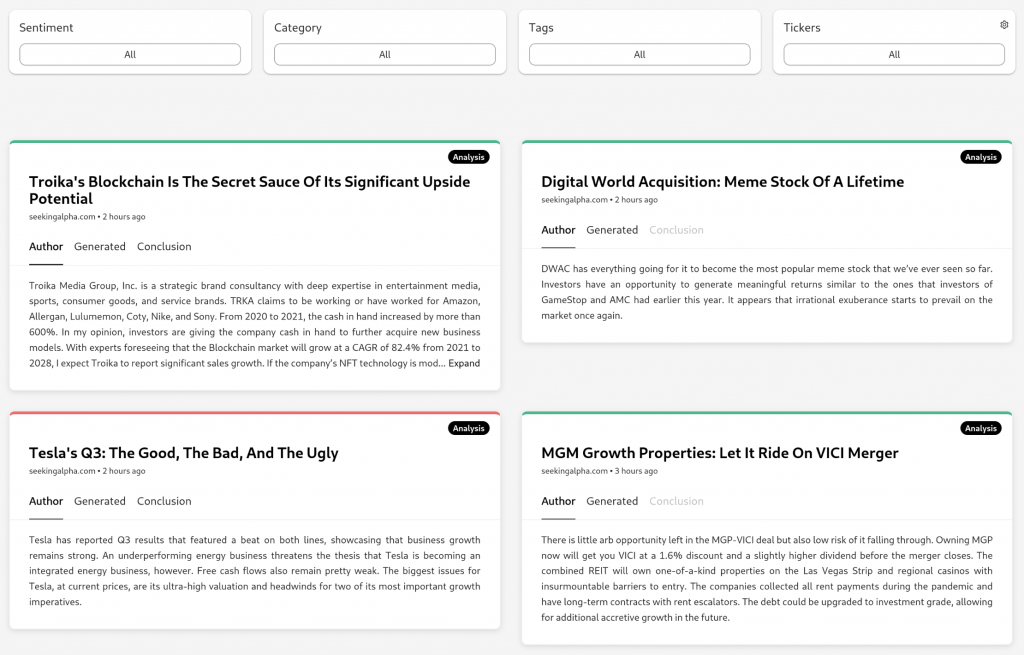
The application creates short summaries capturing the essence of the text and analyzes their sentiment from the obtained documents (articles and short reports). The application regularly downloads documents and displays them in a web application in the form of a clear list. Users are not presented with entire articles, but only their summaries. These are available in several forms. If the author of the article summarizes the topic in the introduction, this section is displayed (Author tab). The same applies to any summary at the end, which often contains important information (Conclusion). However, the most important summary is the one generated by the application itself (Generated). This is always created if the article contains enough text to generate a summary. For example, this is not always necessary for short news items. The individual summaries are clearly available on separate tabs, allowing users to easily select what interests them.
Application Features
Each document includes information about its publication date, keywords characterizing the area to which the report relates, and a link to the full article available via its title. It is also indicated whether it is an article (Analysis) or a short report (News).
Individual documents can be filtered in the application according to:
- Date when they were published (Date range).
- Tickers – names of securities to which they relate (Tickers).
- Tags – areas to which they belong (Tags).
- Category – article or news (Category).
- Sentiment – positive, negative, or neutral rating (Sentiment).
- Domains – web sources from which it is downloaded (Domains).
Documents can be sorted by date in ascending or descending order.

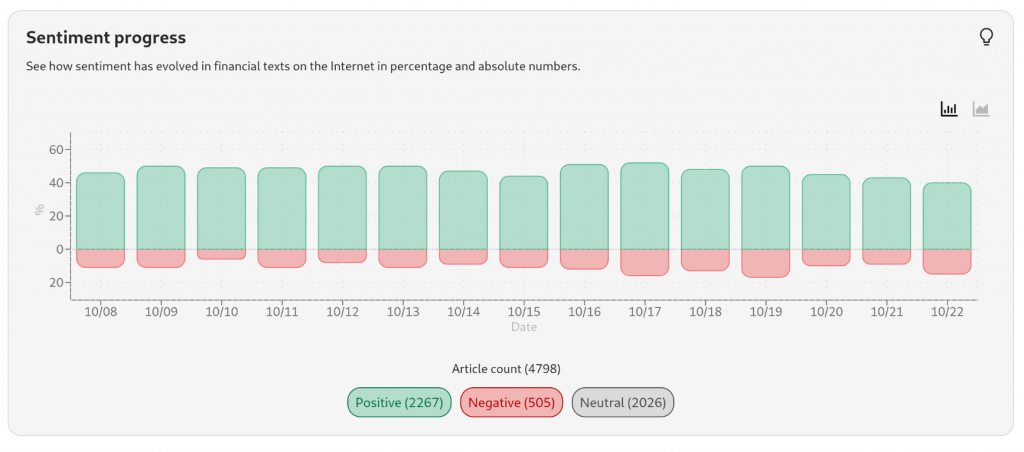
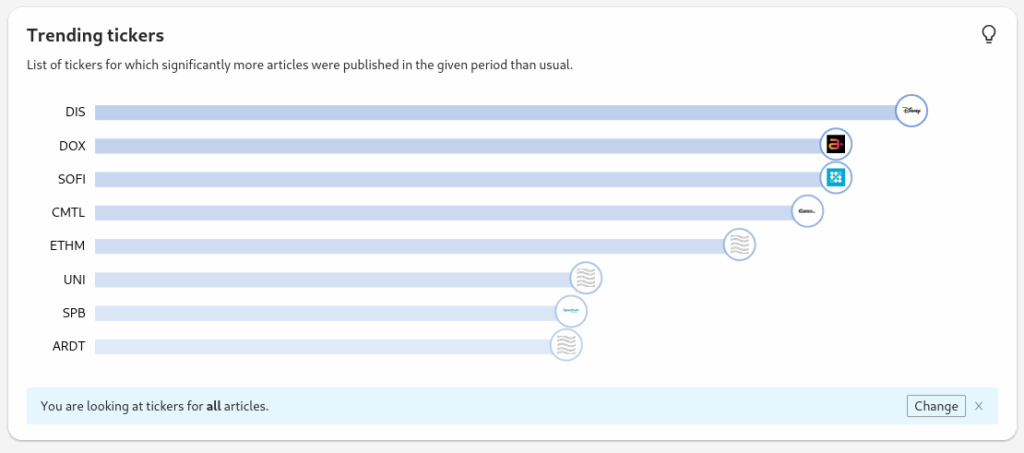
The application also displays an overview of the sentiment of the documents obtained for a specific period in the header. The left graph allows you to analyze the ratio of positive and negative messages. The right graph shows information about the most discussed tickers for the selected period, or those with the largest change in the number of comments. The initial setting displays the most discussed regardless of sentiment. Using the Change button, you can specify a particular sentiment, and an overview of the most discussed topics with that sentiment will be displayed. For each ticker, a value is also displayed showing whether there has been an increase or decrease in the number (Positive/Negative value).